
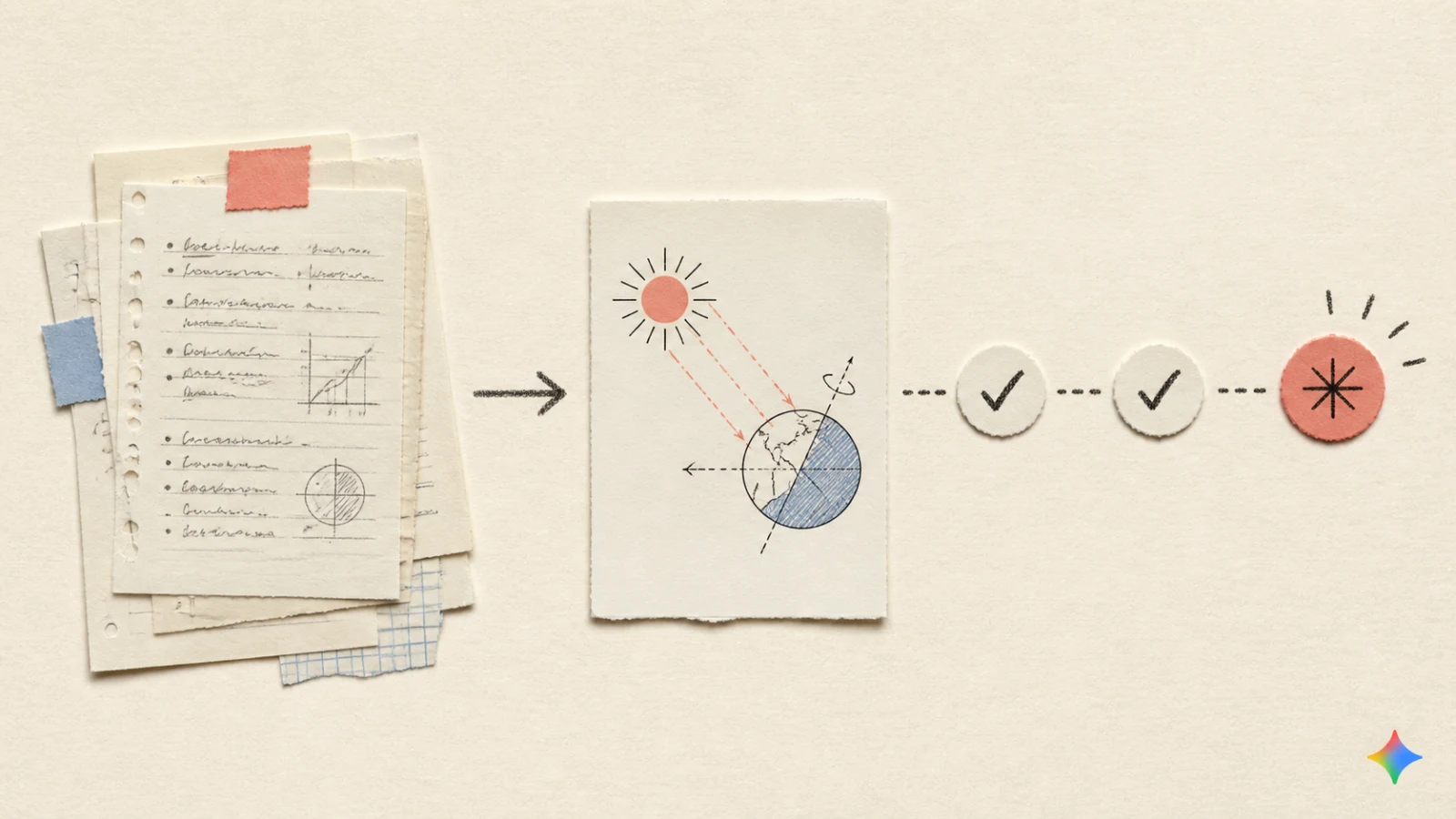
Exam week is close, the notes are long, and rereading everything does not show which idea deserves the next 20 minutes. Gemini Notebook can turn one attached set of notes into a first study route: attach the source, finish a diagnostic quiz, open the topic marked for review, and compare the lesson with the original pages. A study notebook is simply a workspace that keeps a learning goal and its sources together. A diagnostic quiz is a first check that points to topics needing review. Its progress dashboard is a view of which topics are marked strong or still open. The result is a concrete next page to study, with a clear point at which the original notes still have to take over.
The route below uses the same two-page NASA handout about Earth's seasons throughout. It reaches the full 15-question report, a named lesson, and a source check. It also records where the visible workflow stopped, so a study plan is not mistaken for an answer key or a grade.
Start with a source that really attached
The first useful question is not “Can the notebook make a quiz?” It is “Did the notebook receive the notes that the quiz is supposed to use?”
The fixed input was a public two-page NASA PDF. In this run, putting the PDF URL into the learning-goal prompt did not attach it. The prompt moved on to a request for a PDF upload. The usable path was to open Add source, choose Add websites, paste the same public PDF URL, and insert it there. The English Sources panel then showed one retained source.
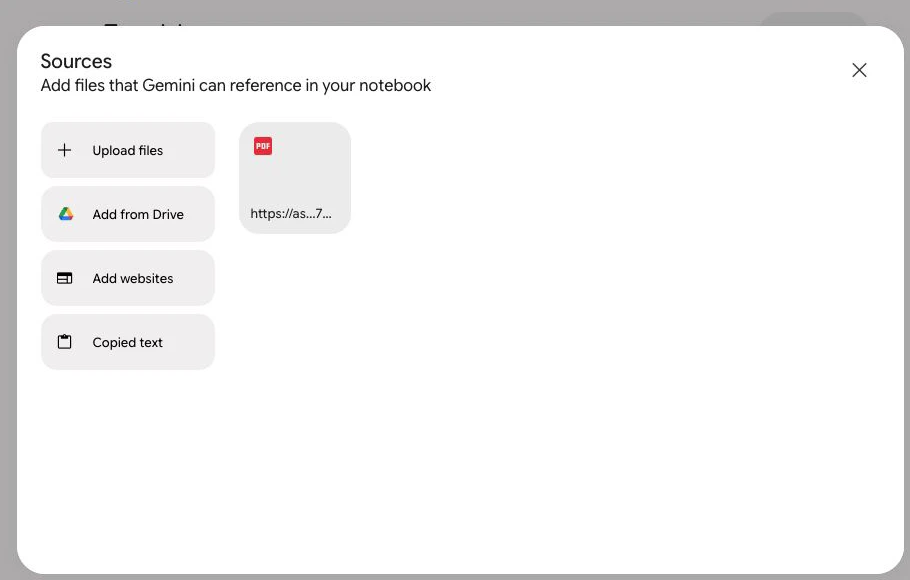
That source count is the first checkpoint. A learner can continue only after the material appears in the notebook. The result is a one-run observation, not a rule that every PDF URL must be added in the same way. Google documents the supported source routes in its Notebook source Help, but the exact prompt behavior can vary by account, URL, rollout, or product version.
Keep going until the report is complete
The first quiz question is useful only if it leads to a specific review choice. An earlier pass through the same handout had highlighted a distance misconception: Northern Hemisphere summer is not caused by Earth being closest to the Sun. The later run tested a different idea about the Earth's axis.
Question 1 asked whether the axis points directly toward the Sun as Earth moves around its orbit. The deliberately selected answer was marked incorrect. The feedback stated that the axis maintains a fixed orientation in space. That is a different problem from the distance misconception, and it points toward a different lesson.
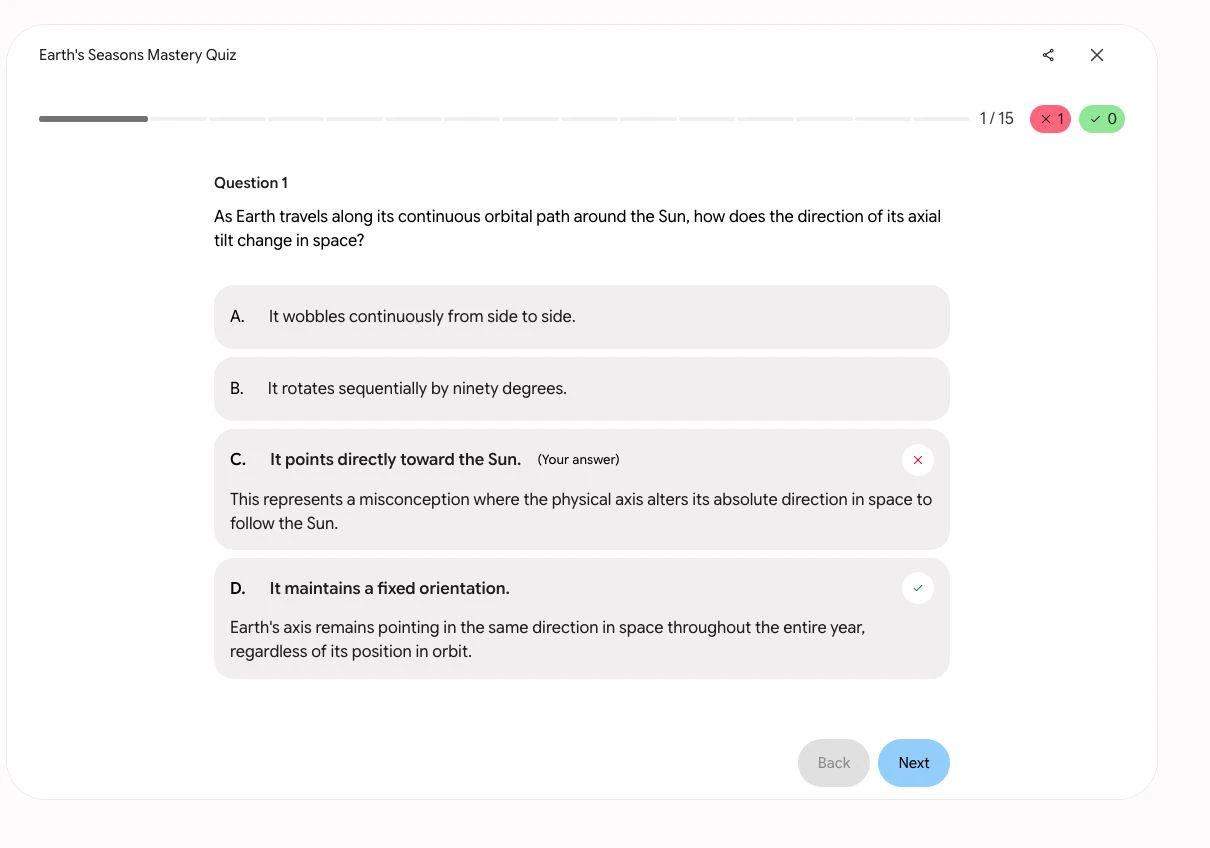
The distinction matters for the next action. “Review seasons” is too broad to be a plan; “review why Earth's axis keeps the same direction” is a usable starting point. The correction still needs to be checked against the supplied NASA pages. It is not a general accuracy test, an answer key, or evidence that a learner has mastered the topic.
The run did not stop at Question 1. All 15 questions were completed, and the report showed 12/15, 5 new strengths, and 3 new focus areas.
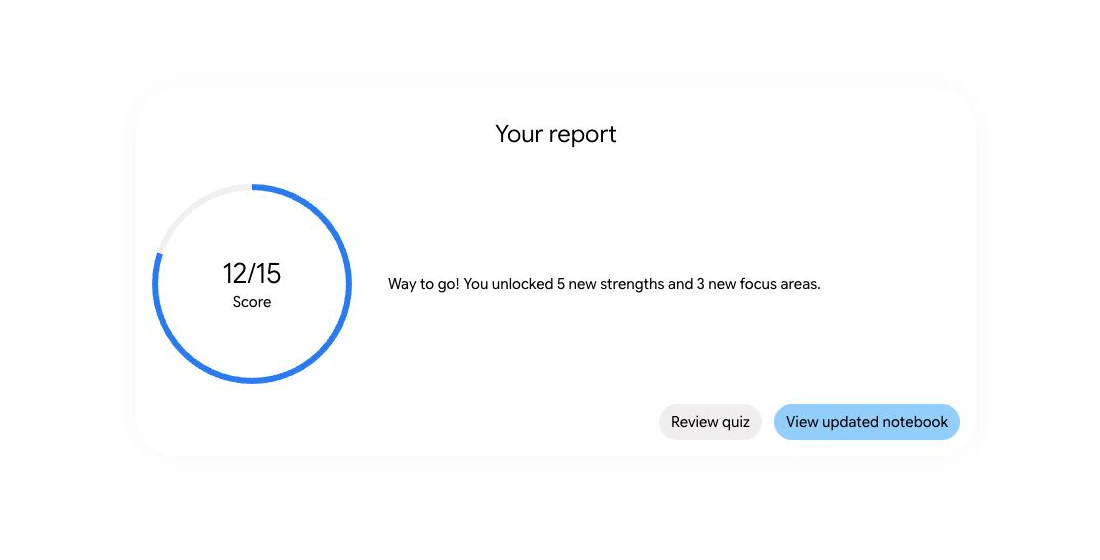
Those labels are navigation signals. They answer “where should the next review begin?” They do not answer “how accurate is the system in general?” and they do not measure a student's learning. The report also does not expose a complete explanation for every focus label, so the next step is to open the updated notebook and use the visible course distribution rather than infer hidden reasoning.
Use the report to choose one lesson
The updated Notebook progress view displayed 63% topics strong. It also showed Astronomical Factors of Seasons with 2 strengths and 2 focus areas, and Sunlight Distribution Changes with 3 strengths and 1 focus area. New topic cards included fixed orientation of the tilt, hemispheric seasonal opposition, and seasonal temperature variations.
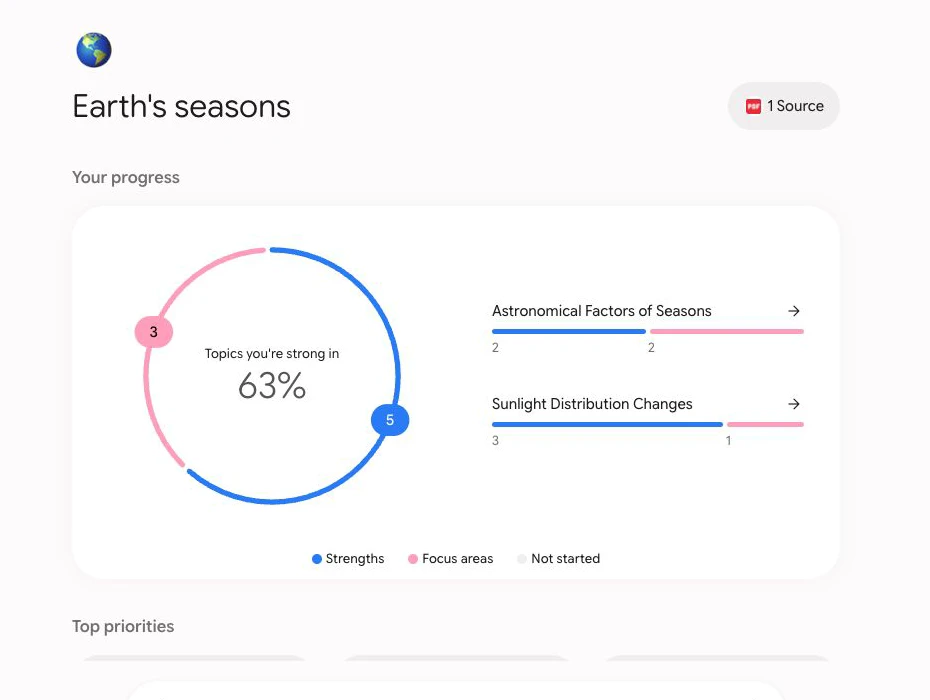
The visible distribution makes one next action concrete: open Earth's Axial Tilt - Fixed Orientation of the Tilt. The choice is based on what the Notebook displayed after the completed report. It is not a claim that 63% means 63% mastery, and it is not a hidden ranking of all the learner's knowledge. The value is that a long handout now has one named review point.
Check the lesson against the original NASA pages
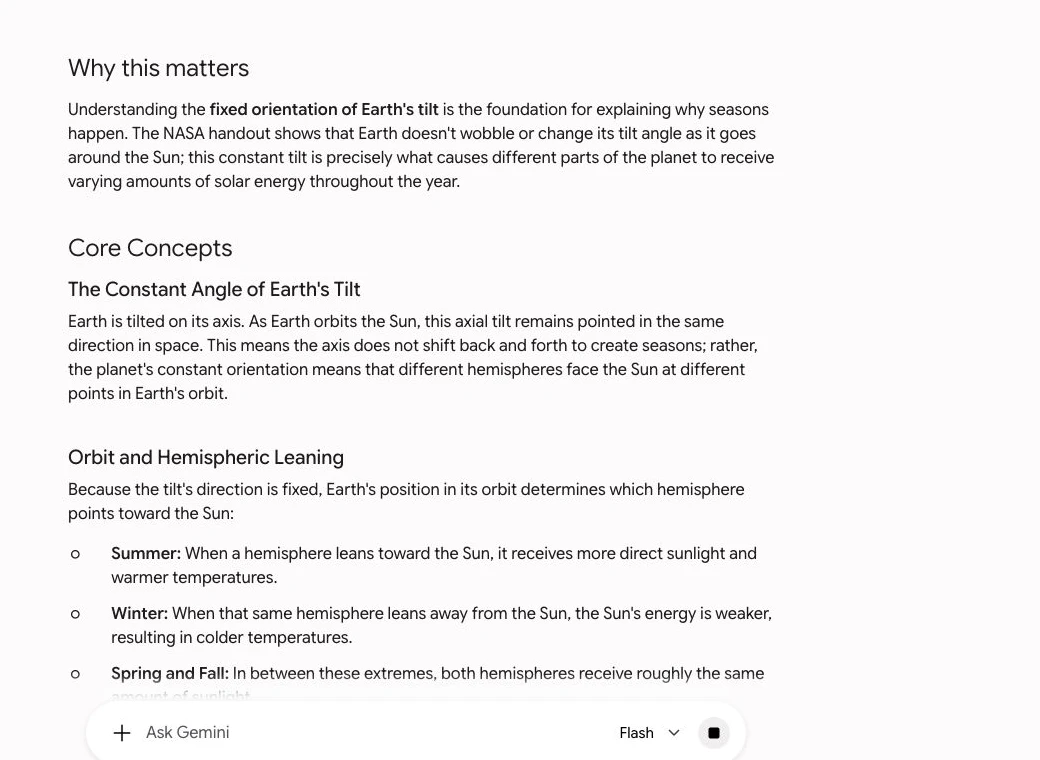
The selected lesson explains that Earth's axis stays pointed in the same direction in space. It connects that fixed orientation to the hemisphere facing the Sun, summer and winter, and the roughly equal sunlight of spring and fall.
The original NASA pages provide the check. NASA's seasons resource links to the same two-page PDF. Page 1 explains how axial tilt changes the sunlight received by each hemisphere and also addresses the distance misconception. Page 2 shows Earth's orbit with the axis keeping its orientation as Earth moves around the Sun.
That comparison supports a narrow conclusion: the lesson is a useful pointer to the right pages to review, while the NASA handout remains the source to check. The Notebook does not become its own fact-checker just because a lesson and a source agree in this one case.
Stop at the boundary the screen actually shows
The lesson included Review what you've learned and the line Score at least 80% to unlock a new strength. During the captured lesson view, no standalone follow-up quiz control appeared in the rendered lesson chat. No follow-up score was therefore captured.
That is a practical stopping point for this route. The evidence supports a source check after the named lesson. It does not support a claim that a follow-up quiz is always available, or that follow-up quizzes are never available. A later product version, account state, lesson state, or different visible control could change that result.
Who this route suits
Gemini Notebook fits a learner who has one source-backed study goal, wants help choosing the first review point, and can keep the original notes open for checking. The useful output is a short route from notes to one lesson, not a replacement for the notes.
The route is a poor fit when a guaranteed answer key, a universal grade, or proof of learning is required. It is also a poor fit when the material cannot be attached clearly or when a generated focus cannot be tied back to the original pages. In those cases, the safest next action is to return to the source rather than keep extending the plan.
Google's Study and learn Help page describes the current product shape, including learning goals, study materials, quizzes, lessons, and progress tracking. Access and source behavior can depend on account, age, region, rollout, and current product limits.
Discussion
0 replies