
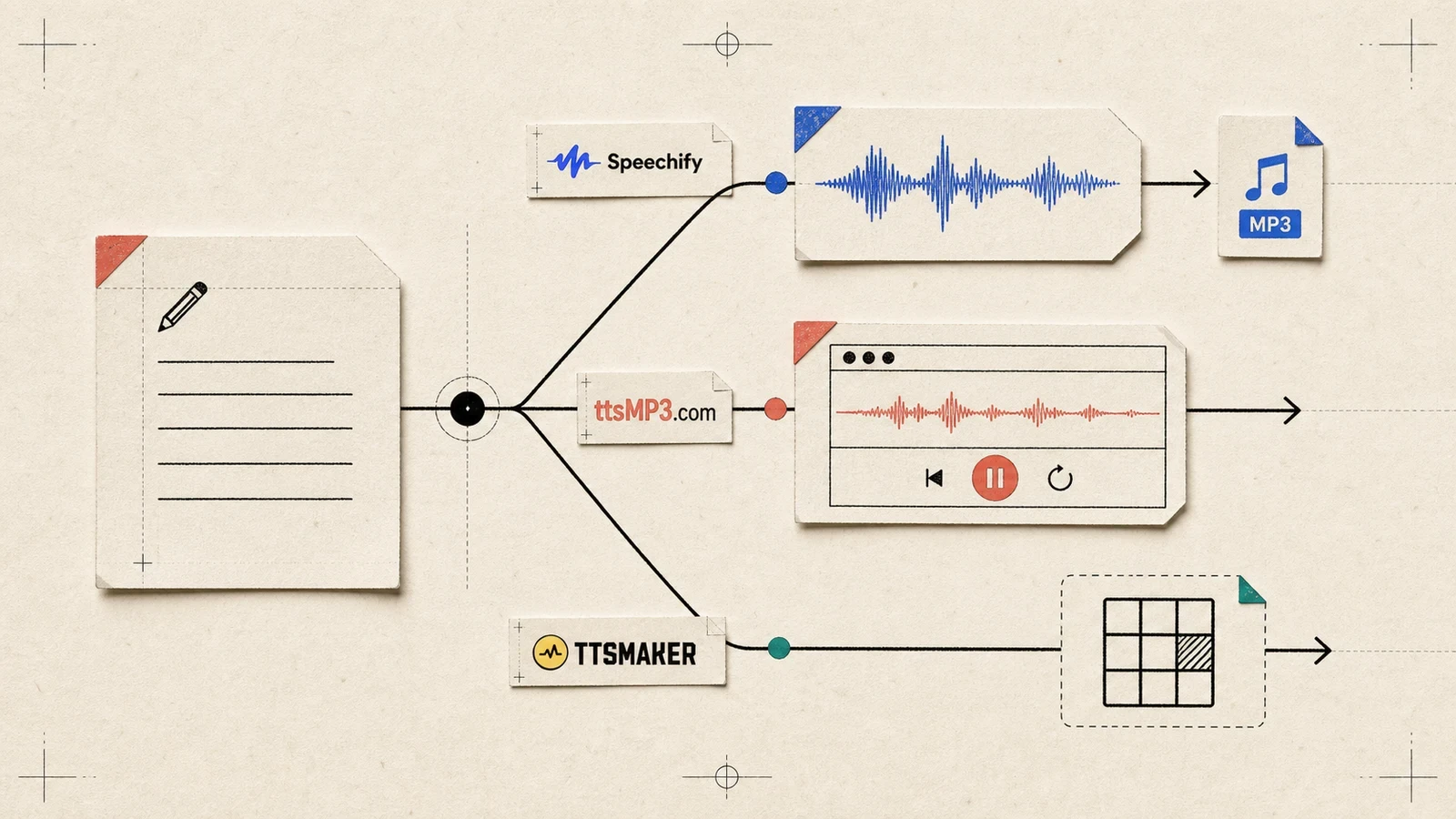
When a reminder has to be heard while driving, cooking, or helping someone who prefers audio, the useful question is not which page lists the most voices. It is whether the voice stays clear, whether the pauses keep the meaning intact, and whether the result can leave the browser. The same notice reached real playback on ttsMP3 and Speechify under the public route. ttsMP3 also returned a direct MP3; Speechify kept playback available but did not expose the same file handoff. TTSMaker has no comparable same-notice result in this run, so it remains unranked pending a later comparable review. Current independent evidence adds an important limit: naturalness and timing vary by voice and plan, so no universal free-tier voice winner is supported.
The same notice makes the result measurable
The comparison used one short English notice, pasted unchanged into every route that could accept it:
Reminder: the community meeting starts Friday at 3 p.m. Bring the signed form. Copies are free, but late requests need approval. Reply before Thursday if you need a seat.
The free path stayed fixed. The checkpoints were deliberately ordinary: did the page accept the text, enter a real playback or conversion state, keep the time and deadline intelligible, expose replay controls, produce a file, and reveal a meaningful limit? The seven markers were Friday, 3 p.m., signed form, free copies, late requests need approval, Reply before Thursday, and seat.
A real media state is different from a button label. ttsMP3 entered Reading... and returned a 12.096-second MP3 artifact. Speechify changed Play to Pause and then Replay, with a successful audio-generation request. The marker list is a human listening checklist, not an automated pronunciation score; one short notice cannot establish accessibility, commercial rights, or performance across every voice.
“Natural” depends on the free voice that is actually available
The independent evidence does not point to one stable quality winner. A 2025 ttsMP3 review from From Text to Speech describes the standard and neural voices as clear and neutral for announcements, while noting that the free voices sound more robotic and lack emotional control. A 2026 AIChief evaluation of ttsMP3 reaches a more favorable “natural and clear” description for quick projects but still treats the roughly 3,000-character daily allowance as a hard small-job boundary. Together, those reports support a practical reading: ttsMP3 is aimed at intelligible short announcements and a file handoff, not at proving human-like narration from one default voice.
Speechify’s strongest naturalness reports belong to paid or premium voices, not automatically to the basic free route used here. TechSifted’s June 2026 Speechify review describes natural pacing and correct punctuation at 1x–2x for premium voices, but says the free tier has 10 basic voices and a 1.5x ceiling that does not represent the premium experience. Reedsy’s Speechify assessment draws the same tier line: free voices are clear enough for proofreading but noticeably robotic, while premium voices add smoother pacing and tonal variation. That makes Speechify a plausible long-listening upgrade, not a free-tier naturalness winner established by this notice.
Clarity, speed, and pauses decide whether the reminder survives
The notice contains a clock time, a document name, a cost qualifier, an approval condition, and a deadline. That is enough to expose a bad pause or an unclear number without pretending to rank voices. ttsMP3’s official FAQ documents controls for speed, emphasis, and inserted pauses on its regular voices; the private artifact confirms that the route produced audio, but the words still need a human replay before a consequential reminder is shared.
Speechify’s external speed evidence shows why the free label is not a listening-quality label. TextToLab’s current free-plan analysis places the free tier at 1.5x with basic voices and no clean offline handoff. TechSifted’s premium review says natural pauses begin to compress above 3x, while 1x–2x is the more comfortable range. The run reached playback at 1x, but it does not prove how a different voice or a longer notice will handle a faster setting.
The safe action for both playable routes is the same: replay the exact markers, especially times, abbreviations, names, and approval language, before sharing the audio.
Short notices fit the free routes; long text changes the cost
The fixture is deliberately short, so both completed routes clear the first useful threshold. ttsMP3’s visible limit is about 3,000 characters per day, and its public workflow remains a manual one-file-at-a-time job. The free route therefore fits a meeting reminder, a short instruction, a voicemail-style notice, or a brief classroom prompt that needs an MP3 now.
Speechify is built for a different workload when the plan and voice tier are acceptable. A 2026 review from Roborhythms describes listening through a 4,000-word article at variable speed and positions the product around documents, commutes, and repeated long-form listening. The same review records a 1.5x free cap, so that long-text advantage belongs to a broader paid workflow rather than the short-notice file path shown here.
Playback and download are separate handoffs
The ttsMP3 public text-to-speech page accepted the exact notice in American English/Kimberly. A retry produced Reading..., then the direct Download as MP3 response returned an actual audio attachment. That is the clearest file-first route in this comparison, with the small costs of a daily allowance and a required marker replay.
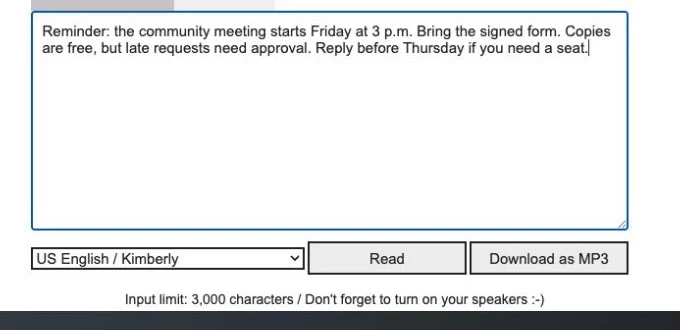
The ttsMP3 result state keeps the notice, selected voice, playback control, and Download as MP3 path in view.
The Speechify browser editor accepted the unchanged notice with English, 1x, and Gwyneth visible. Play became Pause and then Replay, so listening now is real. Download did not produce a file in this run. For one reminder that only needs to play once, that is a reasonable stopping point; for a file that must be forwarded or stored, the route needs a separate handoff check.
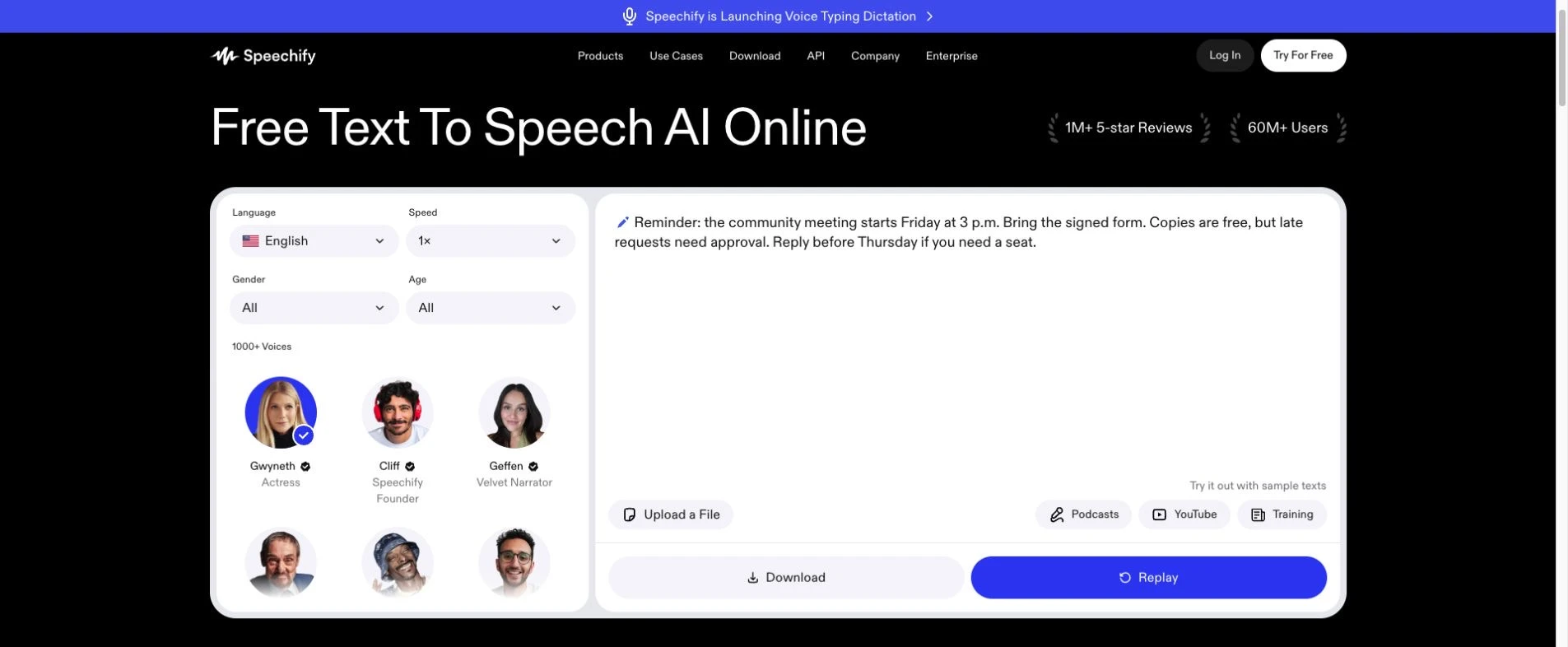
Speechify completes browser playback and leaves a replayable result visible, but saving the result takes a separate step.
Choose the next handoff, then verify the words
| If the next job is… | The evidence supports… | The remaining cost or uncertainty is… |
|---|---|---|
| Hear a short notice once in a browser | Speechify reached Play → Pause → Replay; ttsMP3 also reached generated playback | Speechify’s free voice quality is tier-dependent, and the marker list still needs a human replay |
| Keep and forward an MP3 now | ttsMP3 returned a real MP3 from the public route | A visible daily limit, marker replay, and no universal naturalness claim |
| Prefer a more human-feeling long-listening voice | Current reviews favor Speechify’s premium tier at ordinary speeds | The free tier is not the premium voice set, and subscription terms must be checked before choosing it |
For a one-off reminder, start with the handoff rather than a voice count: choose Speechify when browser replay is enough, or ttsMP3 when a reusable file is the requirement. If naturalness matters more than a free file, treat Speechify’s premium evidence as a separate paid decision and audition the exact voice at the speed the listener will use.
Before either playable result is shared, replay Friday, 3 p.m., the signed form, free copies, late approval, the Thursday reply deadline, and the seat condition. The evidence supports three next actions—listen now, keep a file, or wait for a comparable third result—not one universal winner.
Discussion
0 replies